
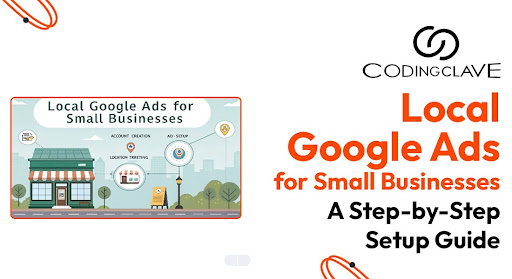
In today's competitive landscape, small businesses must leverage the power of online advertising to stay visible. Local Google Ads are a powerful tool that helps small business owners connect directly with their local audience. Whether you're a digital marketing company in Lucknow or a neighborhood bakery, this guide will walk you through how to set up your Google Ads campaign effectively.
Why Local Google Ads Matter for Small Businesses
Local Google Ads (also known as Local Services Ads) allow businesses to target potential customers in a specific geographic area. These are perfect for:
- ➦ Local service-based businesses
- ➦ Retailers with a physical location
- ➦ Small businesses looking to build local presence
- ➦ Delivery and logistics companies
Benefits of Local Google Ads
- ➦ Appear at the top of Google search results
- ➦ Connect with local customers actively searching
- ➦ Boost foot traffic and online conversions
- ➦ Improve brand awareness and ad copy performance
- ➦ Cost-effective compared to traditional Google Ads
Step-by-Step Guide to Setting Up Local Google Ads
Let’s explore how to create your local Google ads for small businesses from scratch.
Step 1: Set Up Your Google Business Profile
Before you start advertising:
- ➦ Create or claim your Google Business Profile
- ➦ Ensure your business name, location, service area, and contact information are accurate
- ➦ Add essential business information like hours, website, and photos
Step 2: Log in to Google Ads
Follow these steps to get started:
- ➦ Visit Google Ads
- ➦ Sign in using your Google Account
- ➦ Click on "+ New Campaign"
Step 4: Define Your Location Targeting
This is where local ads shine. Use specific location targeting:
- ➦ Enter your city, ZIP codes, or service radius
- ➦ Use the Location tab in Google Ads to refine your reach
- ➦ Exclude locations outside your service area
Step 5: Select the Right Keywords
Keywords drive your campaign. Use tools like:
- ➦ Google Trends and Keyword Planner
- ➦ Focus on local/regional keywords (e.g., "plumber in Gomti Nagar")
- ➦ Use exact match or phrase match for better quality clicks
Step 6: Write Compelling Ad Copy
Good ad copy drives action:
- ➦ Highlight unique selling points (USPs)
- ➦ Use calls to action (CTAs) like "Book Now" or "Get a Free Quote"
- ➦ Include sitelinks to relevant pages
Example:
"Trusted Plumber in Lucknow – 24/7 Service | Book a Visit Now!"
Step 7: Set Your Budget and Bidding Strategy
Your Google Ads budget depends on competition and location:
- ➦ Start with a daily budget you’re comfortable testing (e.g., INR 500-1000/day)
- ➦ Choose a bidding strategy: maximize clicks, conversions, or use automated bidding strategy
Suggested Google Ads Budget by Business Type
| Business Type | Suggested Daily Budget (INR) |
|---|---|
| Local Service Business | 500-1000 |
| Retail Store | 700-1500 |
| Delivery Business | 800-1200 |
| Digital Marketing Agency | 1000-2000 |
Step 8: Use Ad Extensions
Enhance visibility with ad extensions:
- ➦ Call extensions: Add your phone number
- ➦ Sitelinks: Link to specific services or products
- ➦ Location extensions: Show your address and Google Maps location
Step 9: Set Up Conversion Tracking
To measure success:
- ➦ Install the Google Ads conversion tracking tag on your website
- ➦ Use Google Analytics to track goals like contact form submissions, clicks, or purchases
- ➦ Monitor Google Ads conversions via the dashboard
Tips to Optimize Your Local Google Ads
Optimization is key to success. Here’s how:
Regularly Audit Your Campaigns
- ➦ Perform Google Ads audits every 2 weeks
- ➦ Pause low-performing ads
- ➦ Refresh ad copy for seasonality or promotions
Analyze Search Term Reports
- ➦ Identify what users actually searched for
- ➦ Add negative keywords to eliminate irrelevant clicks
Track Performance Metrics
- ➦ CTR (Click-Through Rate)
- ➦ Cost-per-click (CPC)
- ➦ Conversion rate
- ➦ Quality Score
Difference Between Search Ads & Local Services Ads
| Feature | Search Ads | Local Services Ads |
|---|---|---|
| Placement | Google search results | Top of page, above search results |
| Bidding | Pay-per-click | Pay-per-lead |
| Business Verification | Optional | Required |
| Display Elements | Ad text + extensions | Business details + ratings |
| Best for | Website traffic & sales | Direct service leads |
Local Google Ads Strategy for Digital Marketing Companies
If you're a digital marketing company in Lucknow, help your clients by:
- ➦ Creating geo-targeted Google Ads campaigns
- ➦ Using analytics to optimize for ROI
- ➦ Implementing responsive search ads and display ad formats
- ➦ Enhancing local search intent via SEO basics and PPC ads
Final Thoughts
Running Local Google Ads for Small Businesses is one of the smartest ways to drive traffic, leads, and sales within your community. With a structured strategy, proper ads optimization, and regular campaign audits, even small businesses with limited budgets can win big in the Google Ads world.
- SEO – Drive more traffic to your site, increasing visibility and boosting revenue.
- Growth Marketing – Achieve long-term, sustainable growth with data-driven strategies designed to attract, engage, and retain customers.

.png)
CodingClave Technologies
Digital Marketing Agency in Lucknow, As an SEO Consultant with over 7th years of experience, I specialize in helping B2B companies and startups grow their customer base and scale revenue through SEO and content marketing. If you're seeking an SEO expert who understands growth marketing and is committed to delivering measurable outcomes, connect with me on LinkedIn to schedule a free consulting session!
.jpg)